
Desktop app · Open source
Know Giver
Your exam. Your plan. A teacher who talks back.
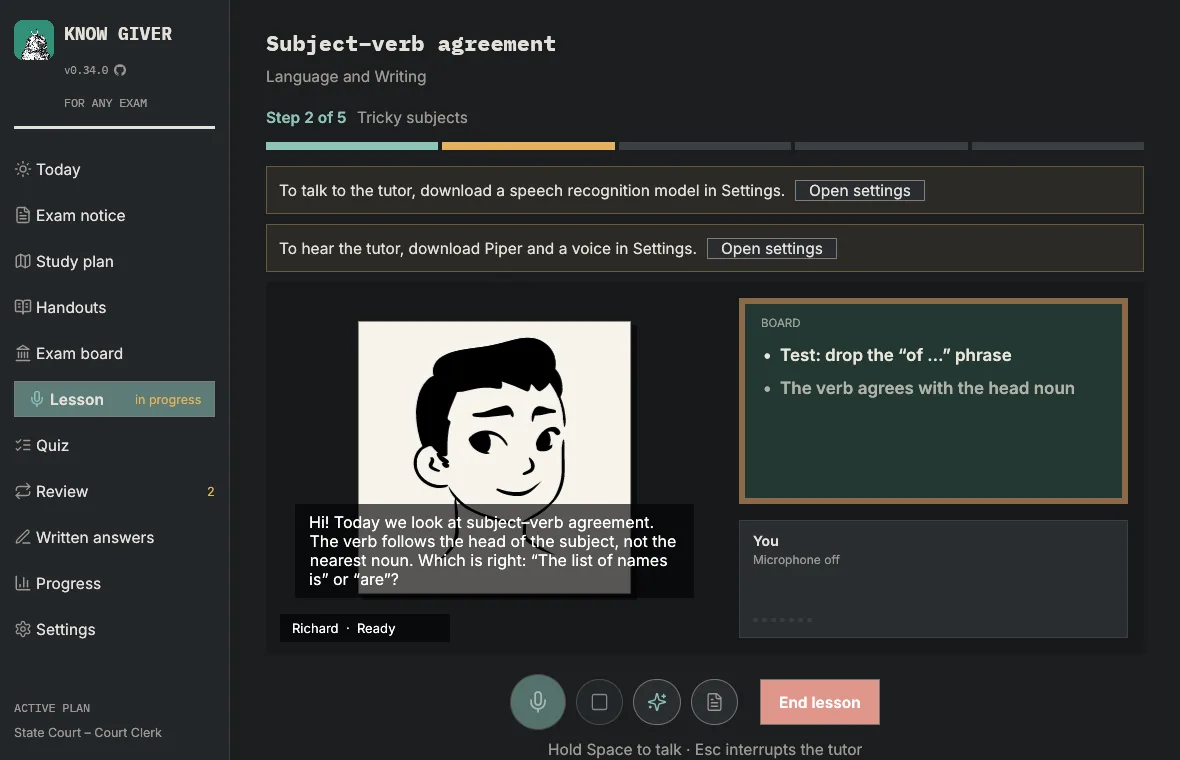
The product
Know Giver is an open source desktop app for people preparing for civil service exams, entrance exams and certifications. You drop in the exam notice PDF, get a week-by-week plan and study out loud with a tutor that listens, explains and quizzes you.
It runs on Windows, macOS and Linux under the MIT or Apache-2.0 license, with no account, telemetry or ads.
The problem
An exam notice can run to dozens of pages and cover several positions with different syllabi. Turning that into a realistic plan, studying each topic and practicing in the exam board’s style usually takes spreadsheets and hours of organizing.
Voice tutors also tend to send the student’s audio to the cloud. In Know Giver, speech and recordings stay on the computer.
My role
I am Know Giver’s author and the only contributor to its public repository, with more than 230 commits: product, architecture, Rust code, packaging for three operating systems and documentation in five languages.
What works today
From exam notice to plan
The notice is read on the computer and only its syllabus goes to the AI. When it covers several positions, the app asks which one you are applying for and builds a plan by week, subject and topic around your weeks and hours.
Voice lessons
On-device speech recognition (Parakeet for live captions, Whisper as a second opinion) and local voices (Piper and Kokoro). Each lesson follows a step-by-step script, checks understanding and closes with a summary.
A whiteboard
During the lesson the tutor writes formulas, diagrams, tables, timelines, mind maps, exam tips and worked examples.
Handouts with highlights
Per-topic handouts rendered to PDF with Typst and opened inside the app, with highlights, notes and reading progress.
Practice and review
Exam-style quizzes, a mistakes notebook, spaced review (SM-2) and past exam questions filtered against the syllabus.
Graded written answers
When the exam has a written test, you write by hand and send photos. OCR runs locally by default, and the grade comes per criterion with quotes from your own text.
Bring the AI you already use
Sign in with ChatGPT, Claude (through Claude Code) or GitHub Copilot, or use an API key from 22 providers, including Ollama and LM Studio on your own machine.
Not available yet
According to the repository roadmap, these are not part of a published release yet:
- System tray and study reminders, already implemented on the development branch.
- Local AI installed and managed by the app (planned, not started).
- Proxy mode with several keys and fallback between models (planned, not started).
- Benchmarks for minimum hardware and handwriting accuracy.
Documented technical decisions
- Whisper in pure Rust
- Speech recognition runs on candle, so there is no whisper.cpp build with clang and cmake. The base model is the default: about 3 s to process 10 s of speech.
- Speech sentence by sentence
- Piper runs as a child process, with no C/C++ compiled into the app. Answers are spoken one sentence at a time, so the voice starts before the whole text is synthesized.
- A lean exam notice in the prompt
- Only the opening of the notice and its syllabus go to the model. For the TJ-CE notice, that cut the text sent from 111k to 25k characters.
- Shuffled answer options
- Quiz options are shuffled after generation, because models tend to put the right answer first.
- Heavy work off the UI thread
- Slow tasks run on worker threads and send events back to the engine, which applies them on the UI thread. Results from closed sessions are dropped.
- Verifiable installs
- The install script checks the release’s SHA-256 checksums and installs for the current user, without administrator rights.
Screens
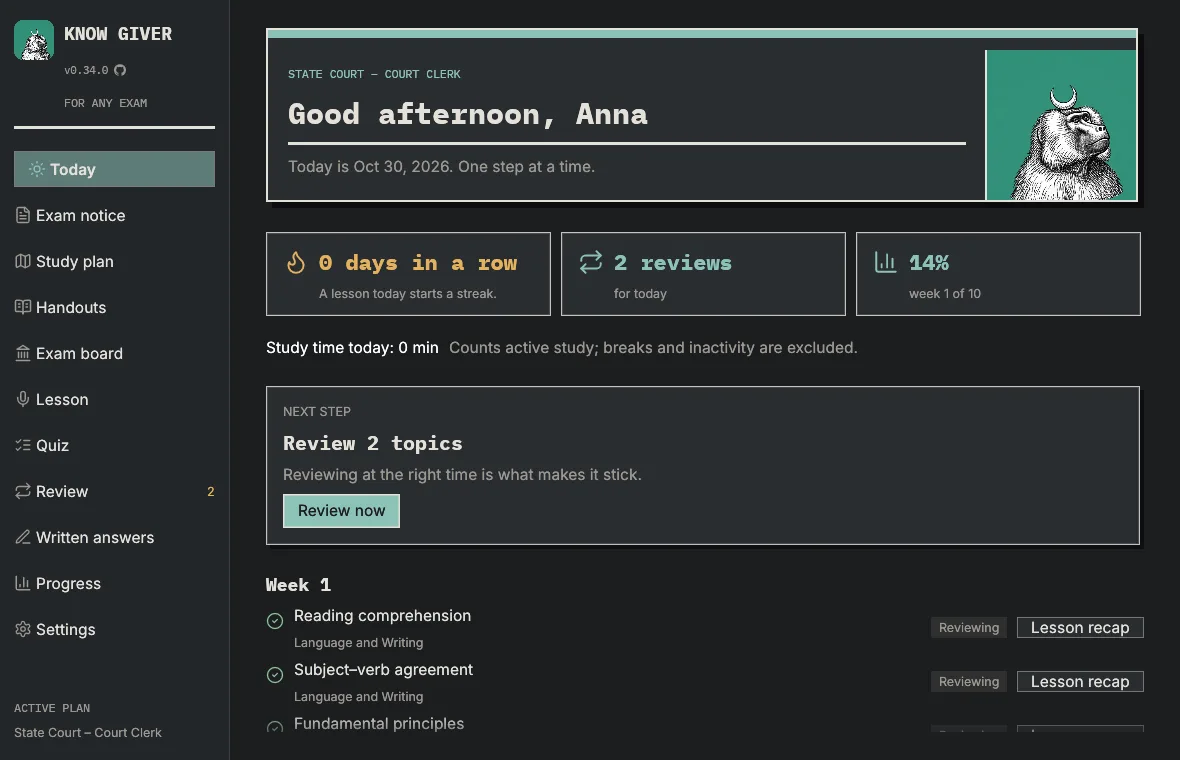
Today screen: study streak, reviews due and the plan’s next step. 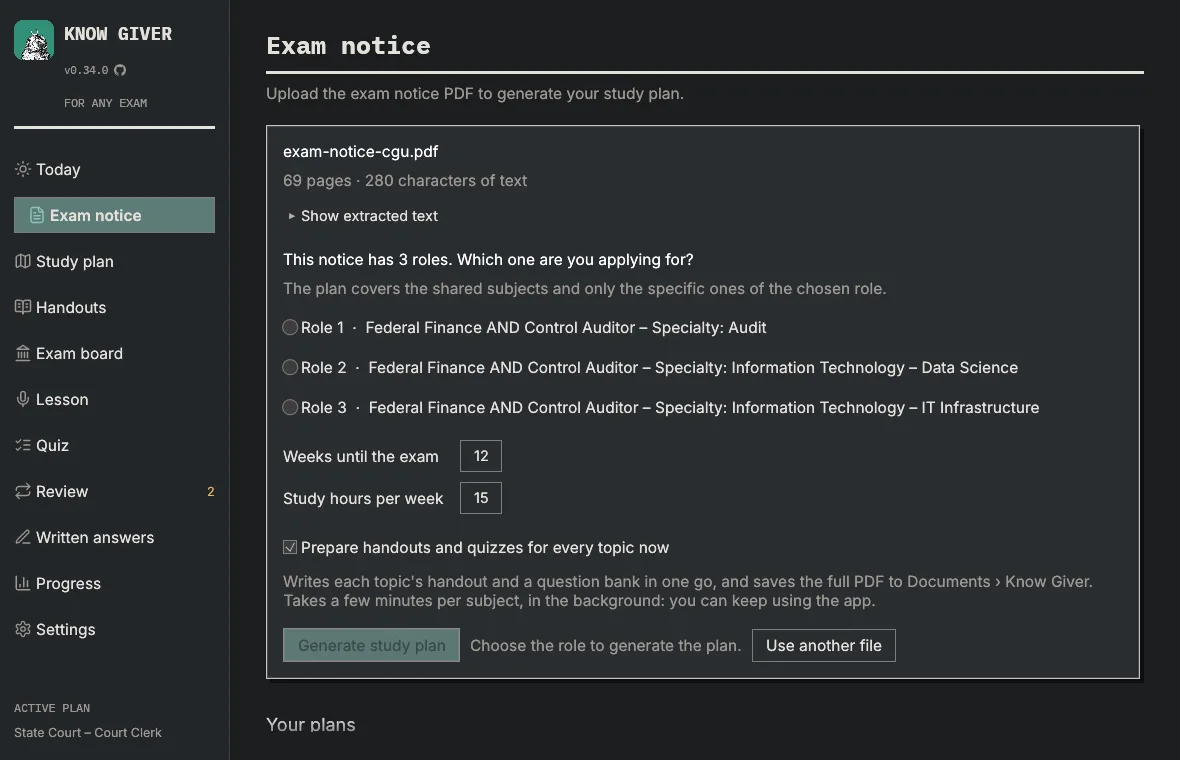
Choosing a position from an exam notice that covers several. 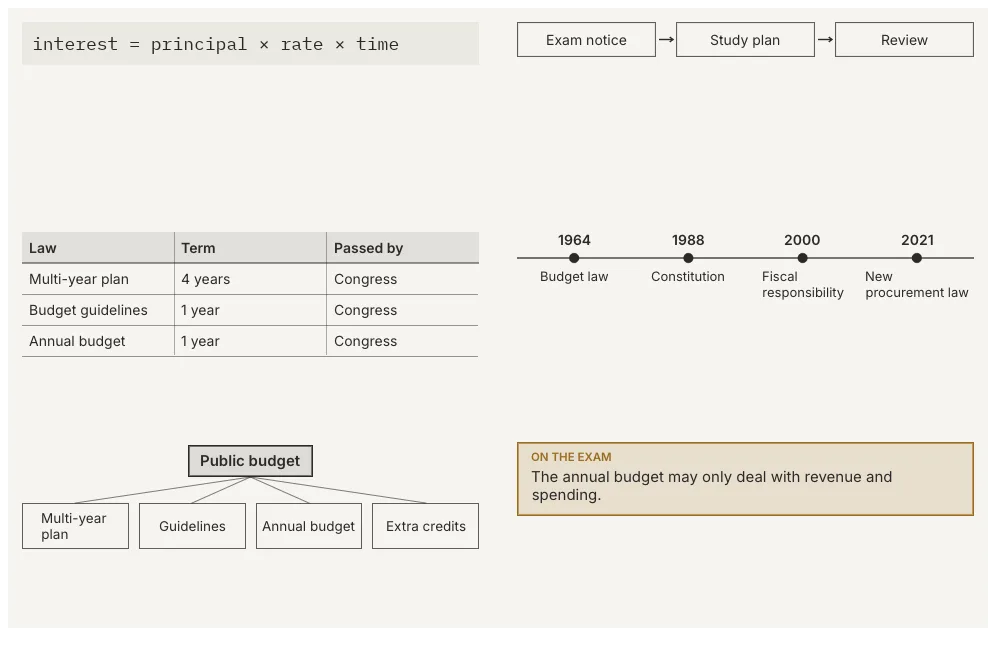
Whiteboard entries: formula, diagram, table, timeline, mind map and exam tip. 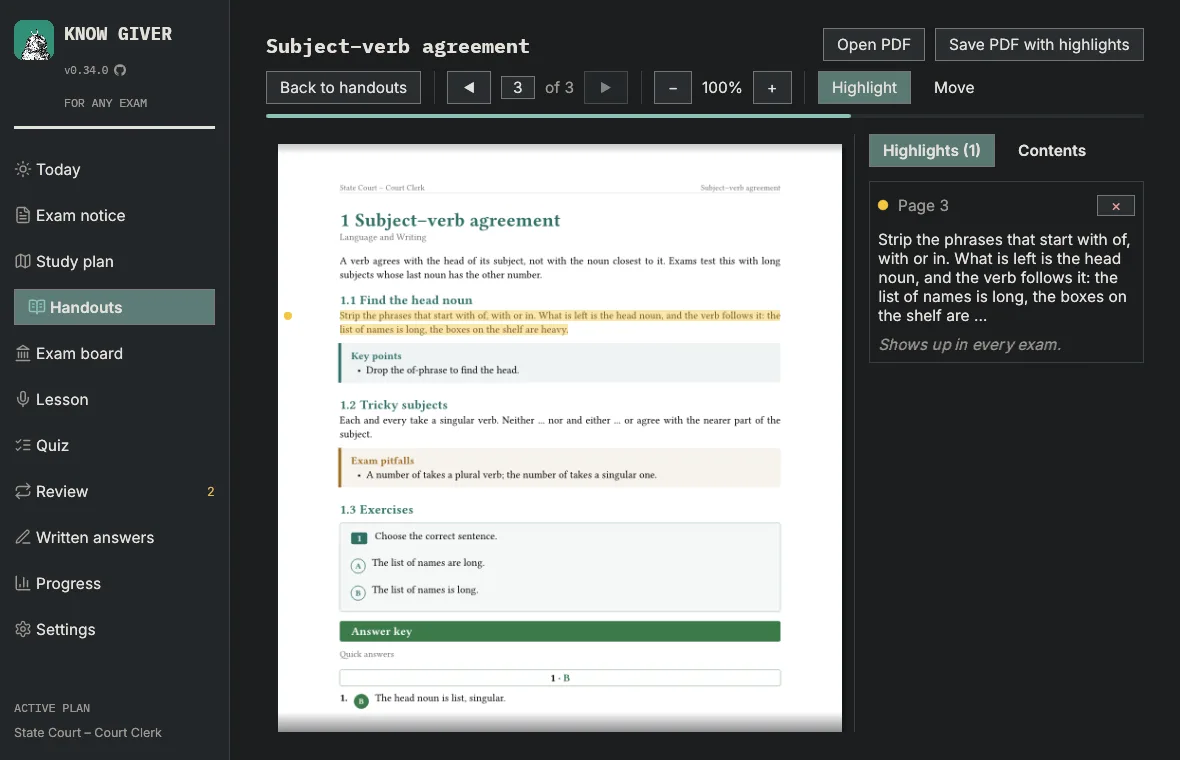
A handout in the reader, with a highlighted passage, its note and the reading progress bar. 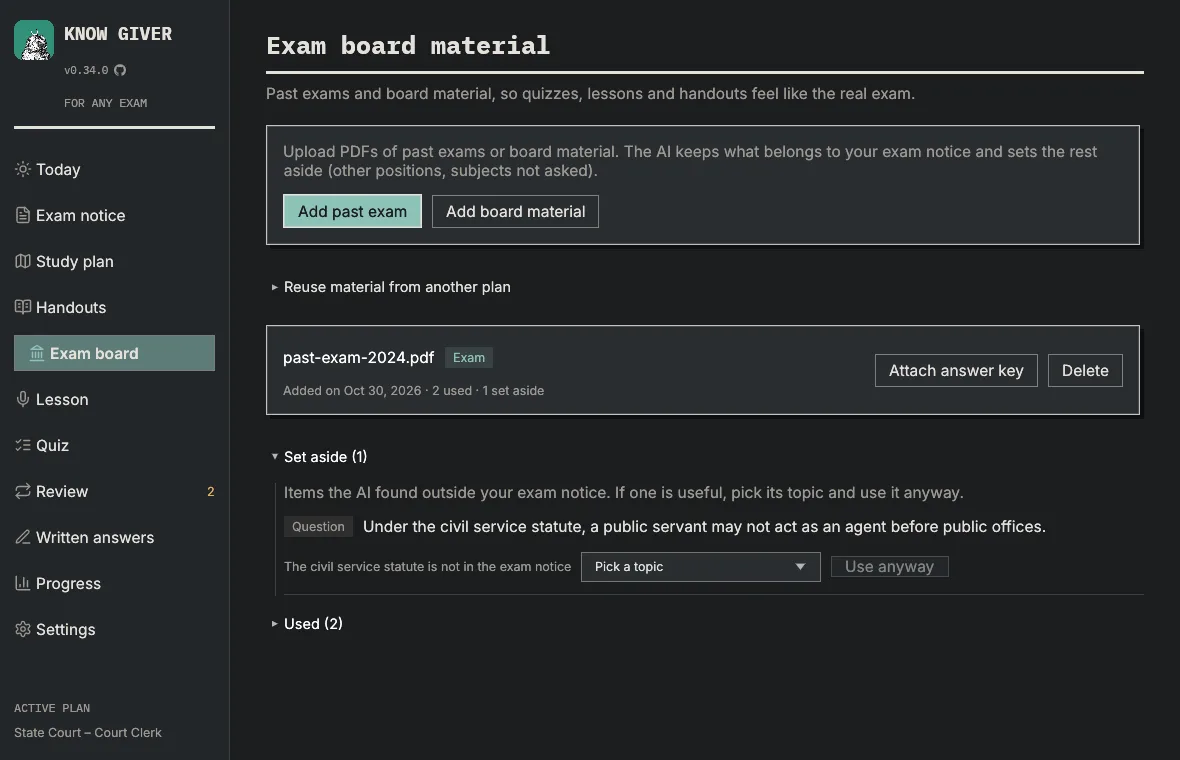
Past exam questions matched to the plan, with out-of-scope ones set aside. 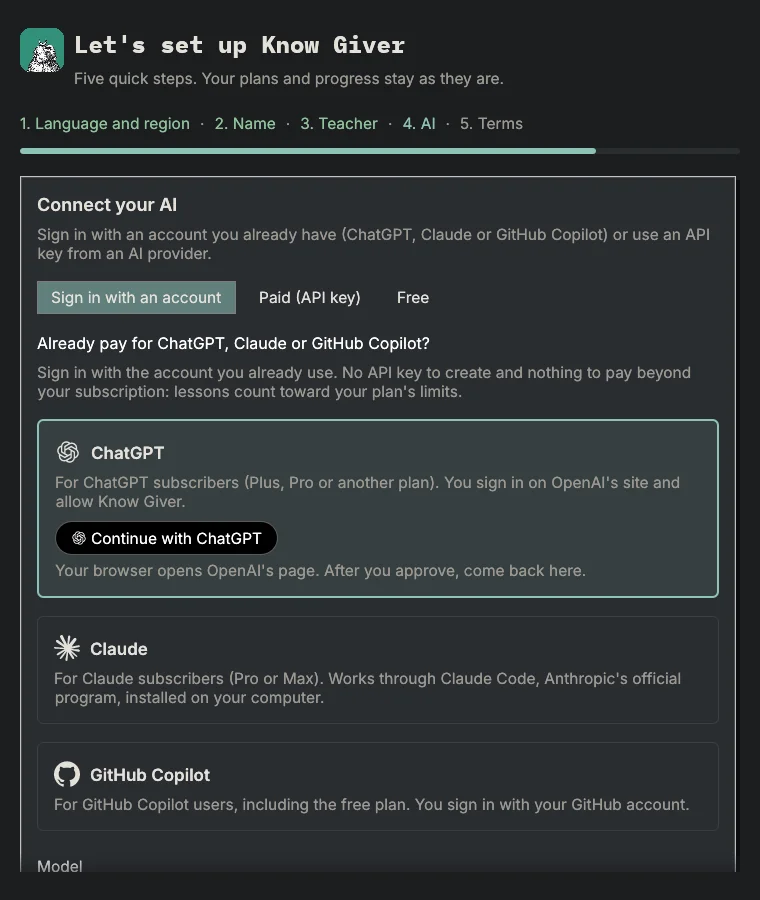
AI step: sign in with a ChatGPT, Claude or GitHub Copilot account. 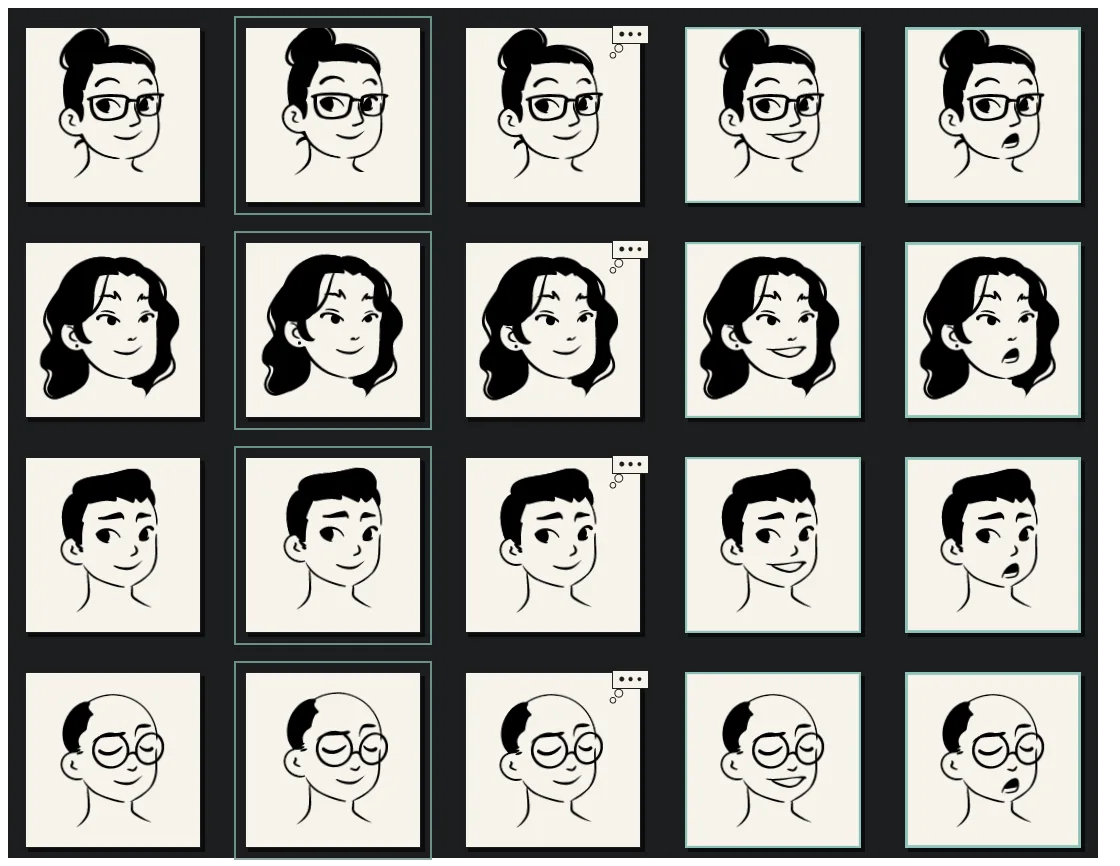
The four teachers resting, listening, thinking and speaking.